StoaHub TAB #5b - Setup Sweepstakes
Under Setup-Events, you'll find a tab labeled Sweepstakes. This is where you will set up your sweepstakes for the tournament.
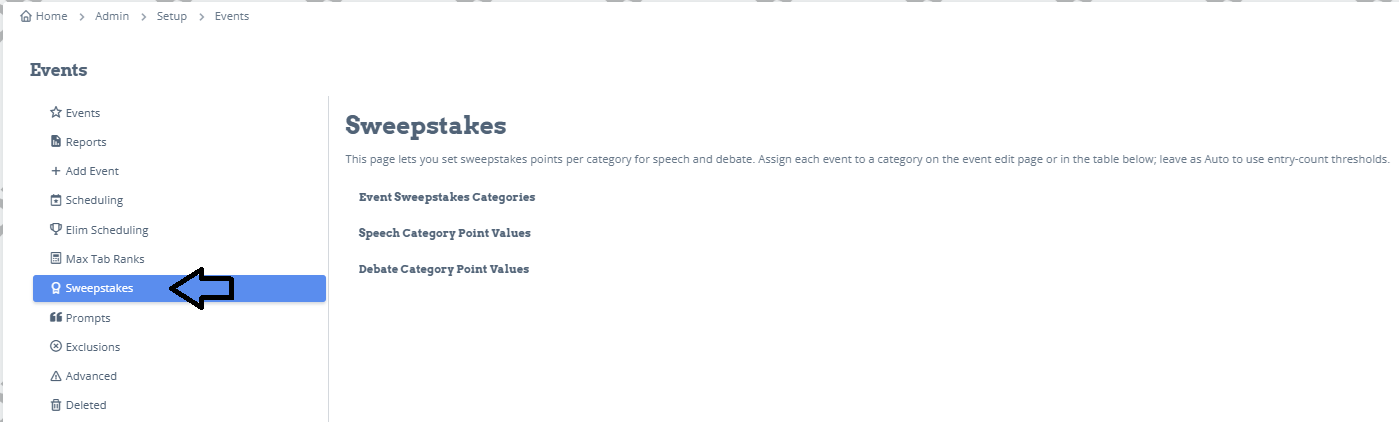
There are 3 categories.
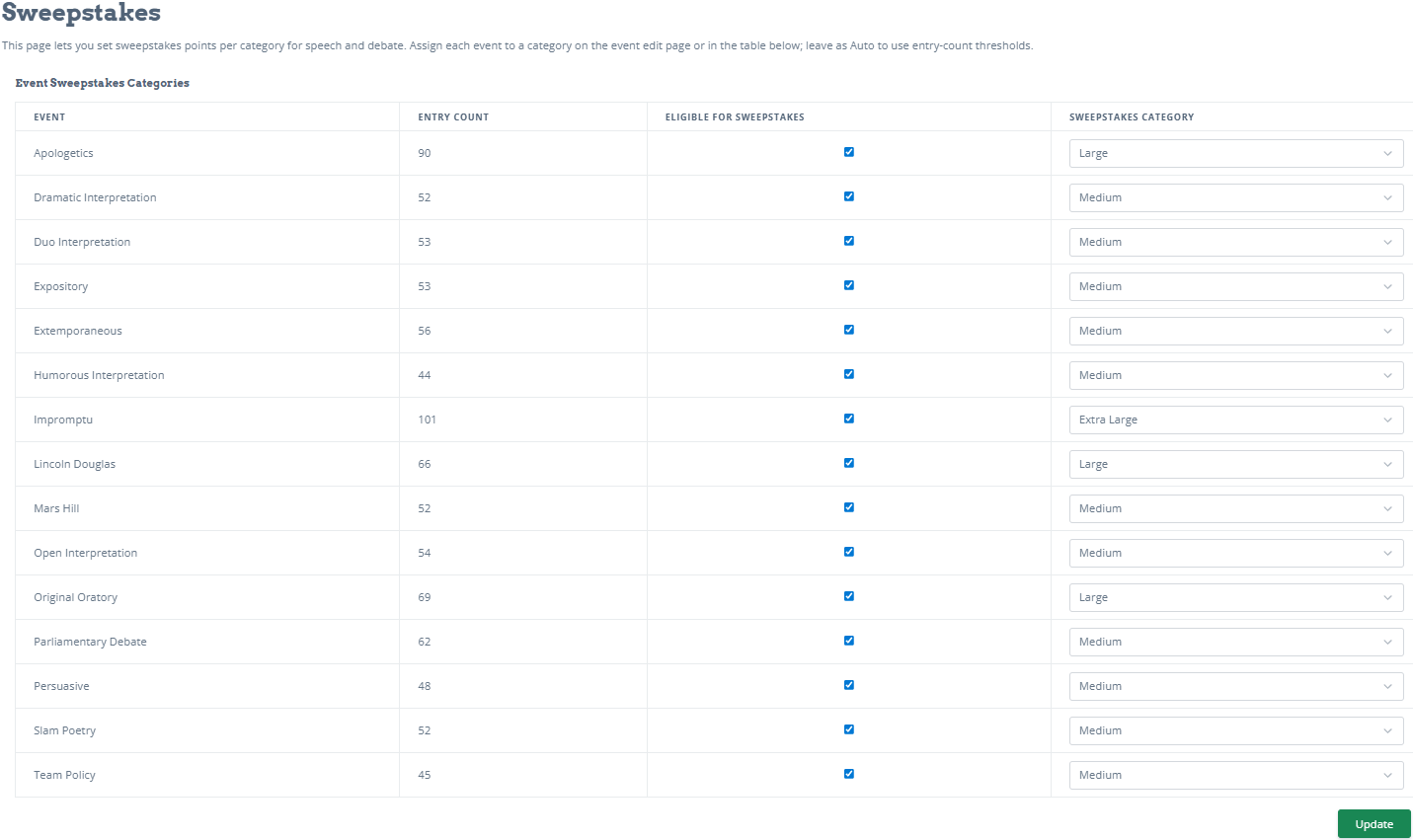
The first is Event Sweepstakes Categories. This lists all of the events at your tournament. The Entry Count is taken straight from your registration automatically. You can choose which events will count towards the sweepstakes. The Sweepstakes Category is based on the entries in each event. You can change the categories manually if you want.
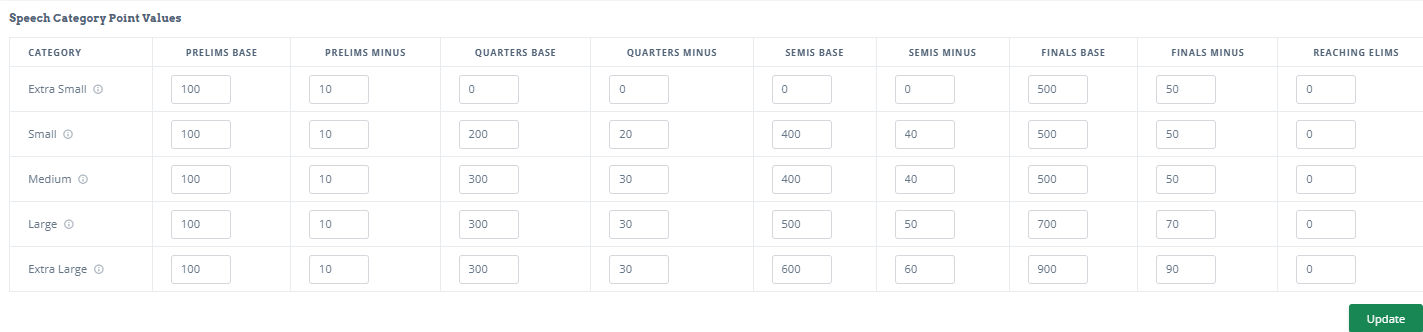
The second category is the Speech Category Point Values. These are the suggested default values. You can change any of them to whatever you want.
The are 5 categories that determine the event designation.
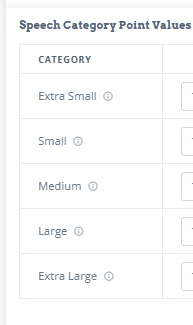
Extra Small - 0-16 entries
Small - 17-40 entries
Medium - 41-64 entries
Large - 65-96 entries
Extra Large - 96+ entries
While you can't change the default category numbers, you can change the point values to reflect whatever you want.
Prelims Base: This means first place in a room gets the amount in this box. Prelims Minus means each place after that gets minus the points in this box.
For most tournaments, the preset for prelims is 100 for first place, minus 10 for second (90), minus 10 for third (80), minus 10 for fourth (70) and so on.
For speech outrounds, the same logic applies for Quarters, Semis, and Finals. There is also a category at the end if you want to award points just for Reaching Elims.
The third category is Debate Category Point Values.
The default for prelim rounds is 30 points for each win, and 5 points for each loss. If a student wins all 6 prelim rounds, they get 180 points.
For any debate outrounds, you have the option of giving points for winning, losing, and reaching.
For debate speakers, you can enter the overall total points the winner will get, and then each place after that gets minus what you put in the minus column. For instance, if first gets 800, then second gets minus 80 (10%), which would be 720. Third place gets minus 80, which would be 640, and so on. All of these calculations are done automatically.
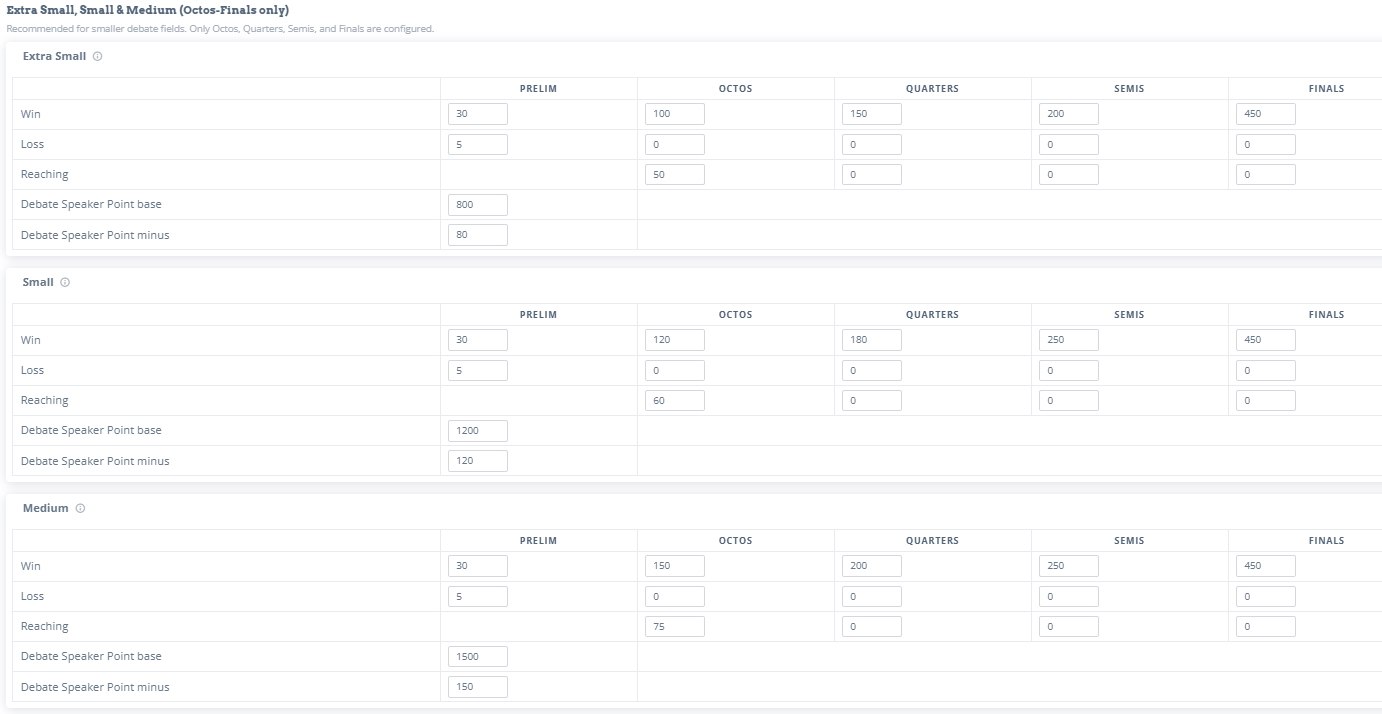
You can either leave all the presets in place, or you can customize your own values.