StoaHub Ballot Push #5 - Pushing Ballots - Speech
Please read Ballot Push #3 as most of the steps are the same for speech and debate ballots.
The speech ballots will look like this.

There are 2 ways to bring up the ballot. Use either the ballot code, or the barcode.
Go to Admin-Ballot Push-Assign Judges. Select a Speech round.

You'll notice that all the events for that pattern are listed along the top.

When you select a judge, you can cycle through the events to find the best ballot, or you can select "All Events" for all the ballots for that round.
You'll see that there are panels for each speech ballot based on how many judges per room.
You'll now be taken to a screen that shows your event, the judges, and the ballots. The ballots are listed in Ballot Code order.
The judge standing in front of you has a badge with both a judge number and a barcode. You can either scan the judge barcode, type the judge number, or search for the judge by name. Let's use the example of Smokey Bear #1452.
If I search his name, he comes up.
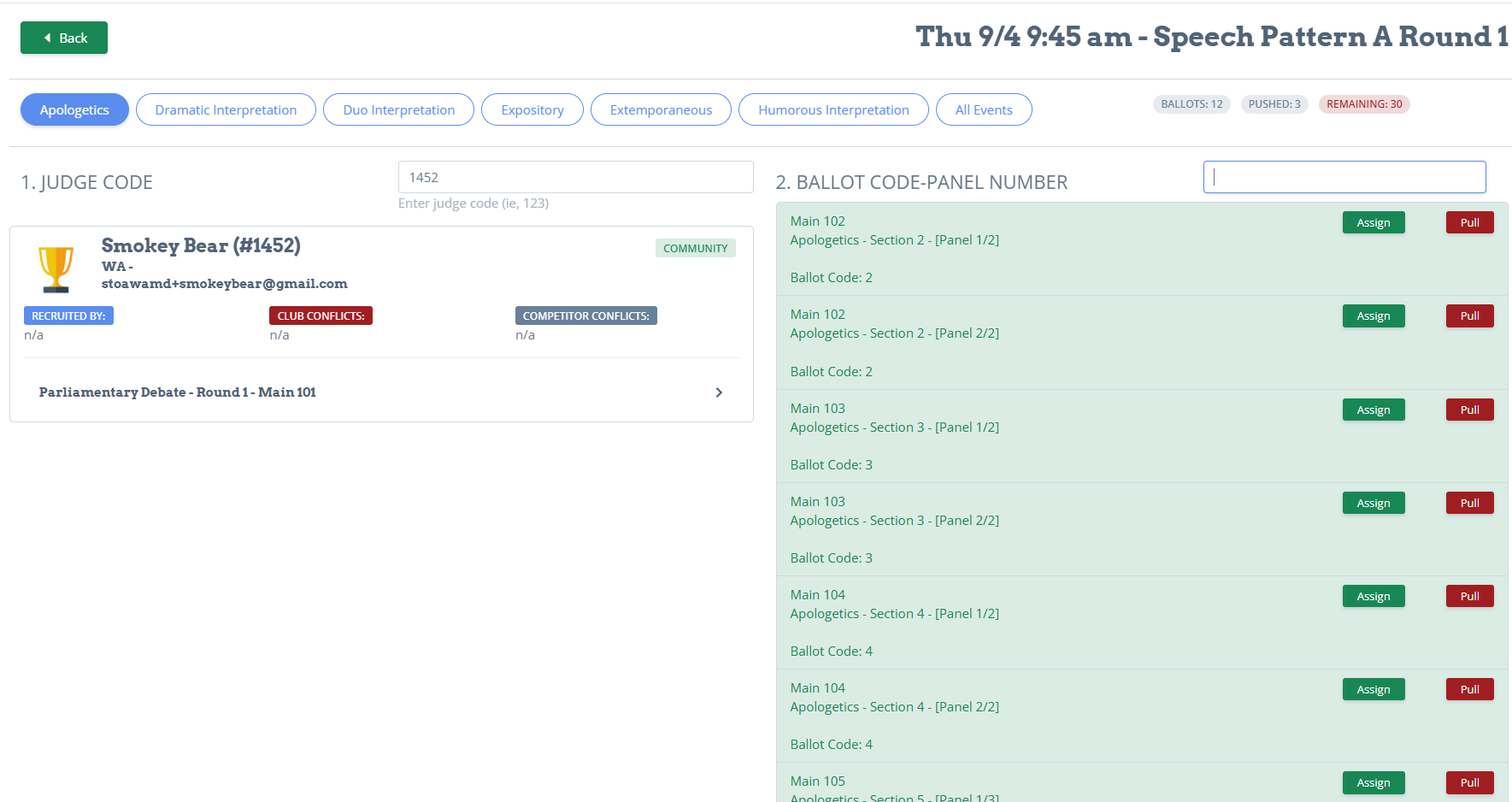
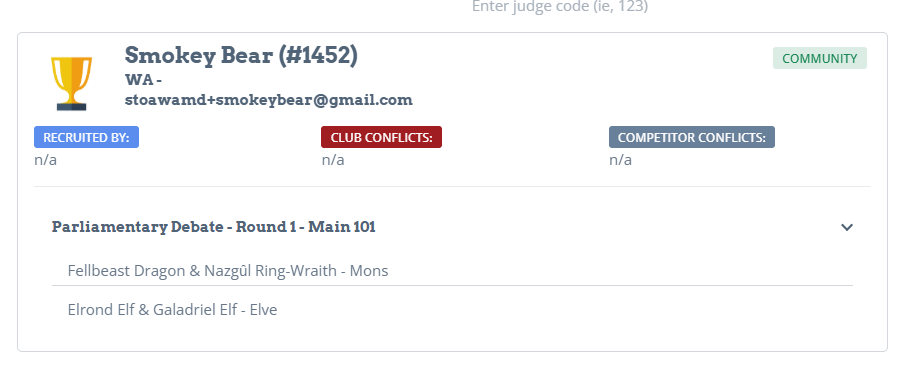
You'll be able to see their history of everything they've judged so far, as well as any club and individual conflicts that they indicated.
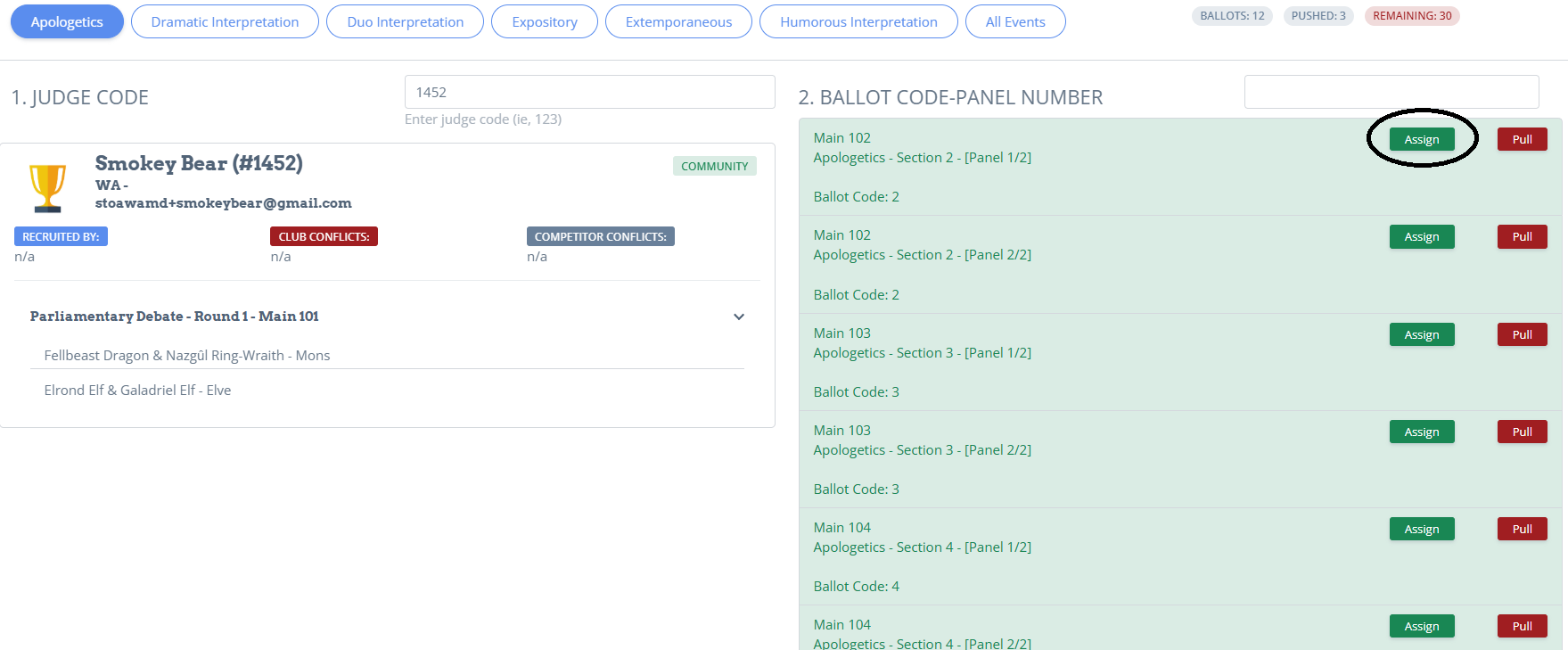
You'll see the list of ballots on the right. Green means there are no conflicts and you should attempt to assign that ballot by having that judge verify that it's ok. If it is, click assign.
If that ballot has conflicts, to prevent further tournament issues, open a separate browser window and go to their judge profile Admin-Ballot Push-Judges. Search their name
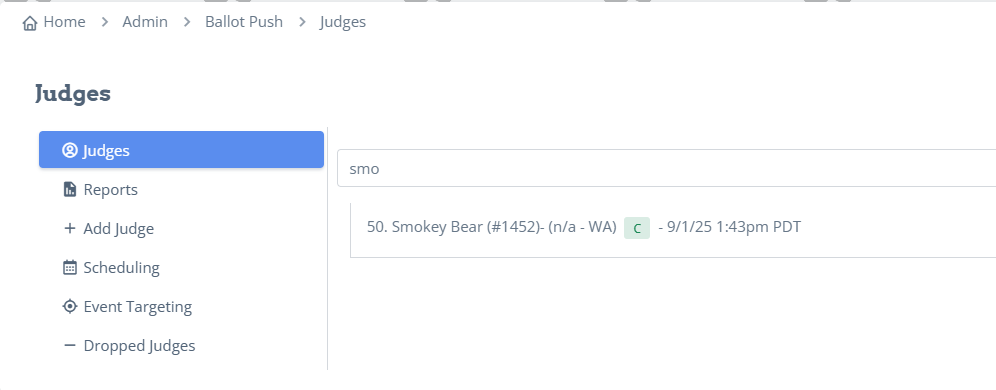
Click on their profile and add the conflicts. Then click "Update" on the bottom right.
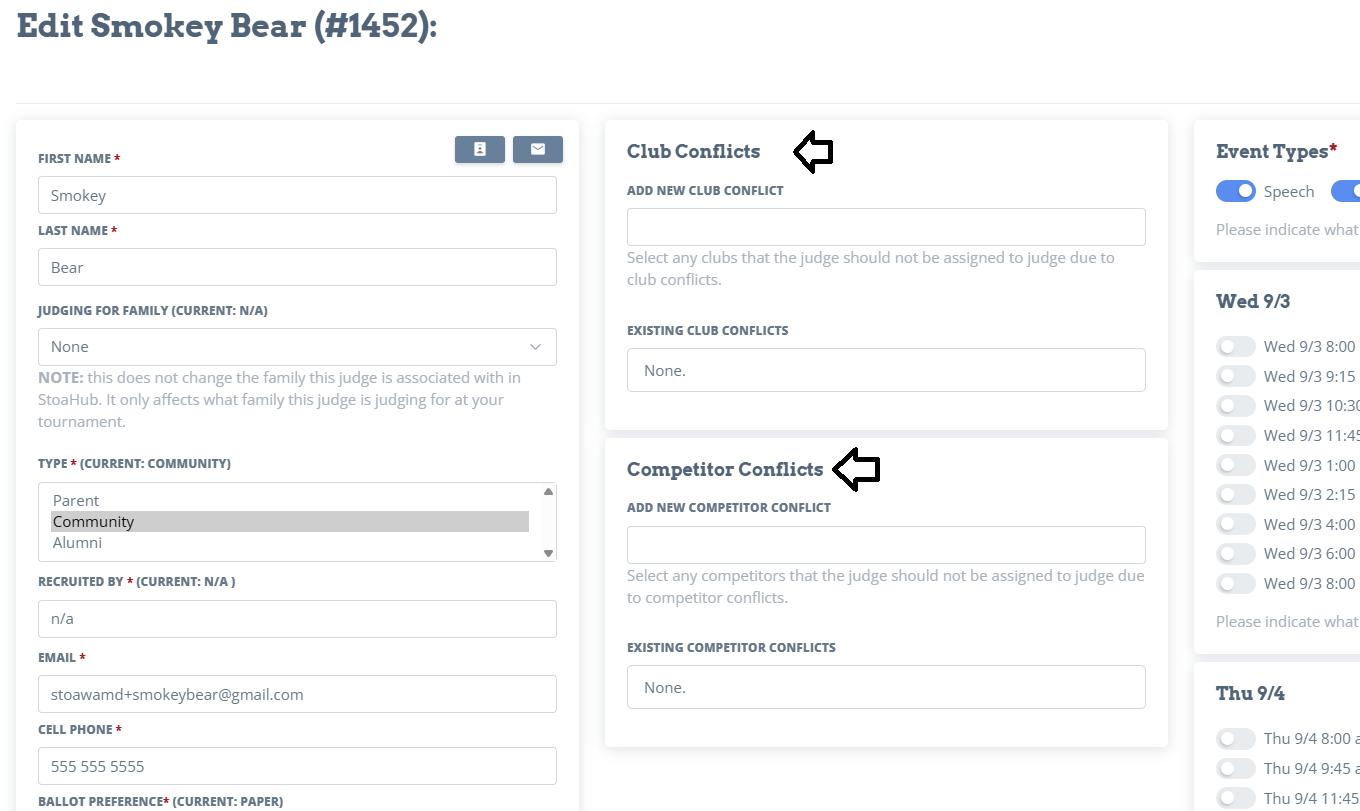
Once you have done that, you can resume pushing ballots.
Important If there are 3 judges scheduled for a room, and you only push 2 judges, Ballot Push need to "Pull" the 3rd ballot. There are 2 ways to do this.
- Select a judge. Go to the ballot you are going to Pull and click "Pull".
-
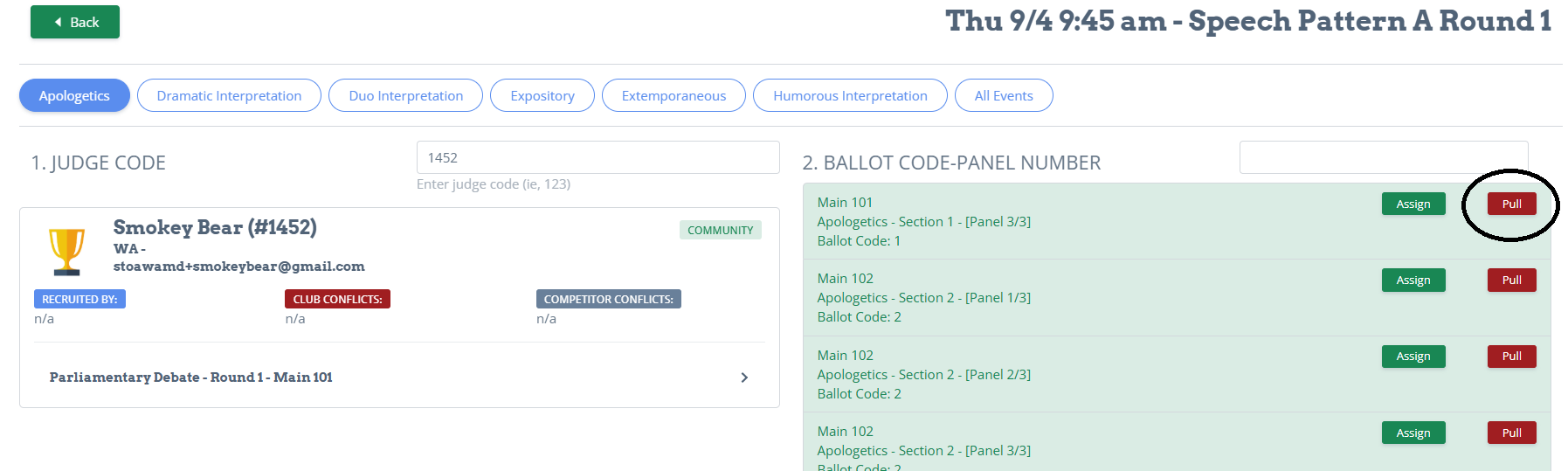
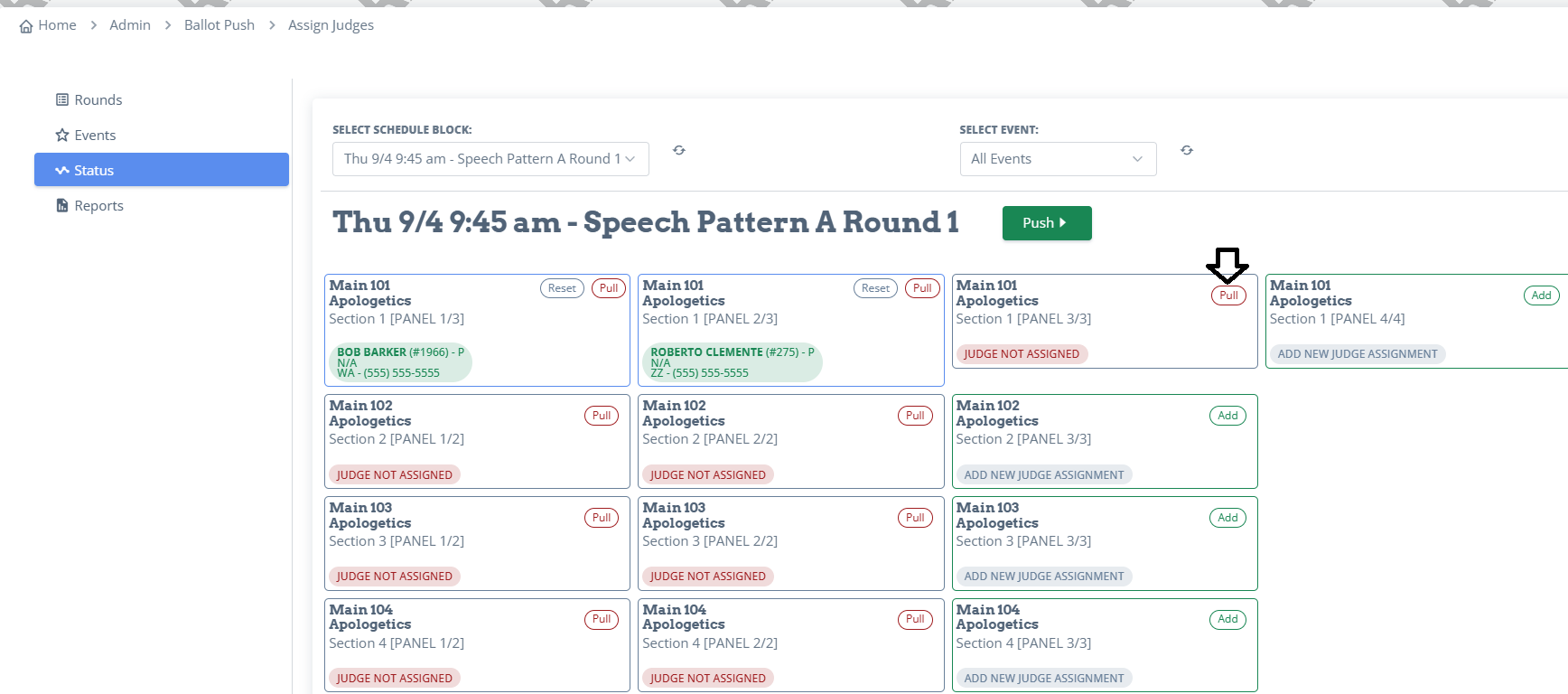
The second way is to go to Admin-Ballot Push-Assign Judges-Status. Pick you schedule block and the event. You'll see the ballots that are all pushed. To pull the ballots you didn't push, click "Pull" on the ballots without a judge.